Declaration in a few minutes: how to submit online via the Electronic cabinet and “My Tax Service” application
Press service of the State Tax Service of Ukraine , published 05 March 2026 at 15:26 Chapter: News
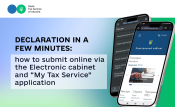
Submit Property status and income tax declaration in just a few minutes – without queues and paperwork. Services of the Electronic cabinet allow to fill out and send document online, system automatically pulls up some of the data.
Autofill and minimum errors
Functionality for submitting Property status and income tax declaration is available in private part of the Electronic cabinet (section “Tax declaration" of the "Electronic Cabinet for citizens” mode).
The service automatically fills in some of the fields based on data from the state registers, in particular information on income and property. This:
- significantly saves time;
- reduces risk of errors;
- simplifies verification of entered data.
After completing the declaration, it can be immediately sent to the Tax Service along with scanned copies of supporting documents. This format is especially convenient for citizens who are applying for tax rebate and need to attach relevant documents.
Submission through the application “My Tax Service”
Even simpler option is to use mobile application “My Tax Service”.
Through the application it is possible to:
- log in using electronic signature;
- fill out and check the declaration;
- submit it online in a few clicks.
Mobile format is especially convenient for those who value speed and do not have opportunity to work with a computer.
What is needed for the online submission?
Qualified electronic signature is nedded to work with electronic services. It allows to be authorized and sign documents online.
Alternative – traditional methods
For those who do not use digital services, there are still classic options for submitting the declaration:
- in person or through authorized person;
- by mail with a delivery notification.
More
Who needs to submit declaration?
https://tax.gov.ua/en/mass-media/news/978083.html
How to obtain income information
https://tax.gov.ua/en/mass-media/news/980853.html
Submission deadlines